Features
Everything an agency does, in the order it happens.
Seven parts of the day, one screen. Nothing is on it before its time.
Sent by WhatsApp · opened by the client 2 min ago
Real screens
From the first message to the voucher.
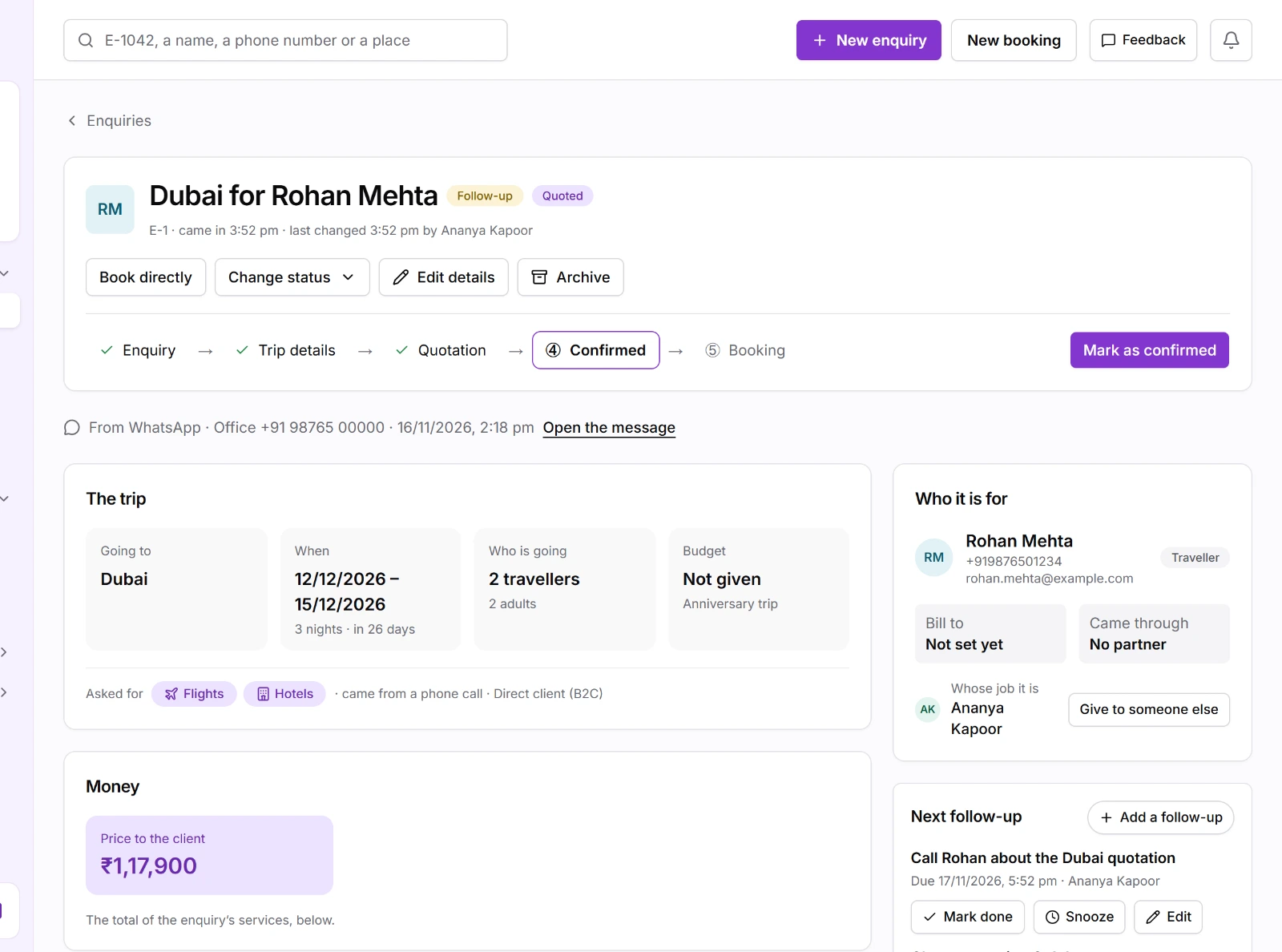
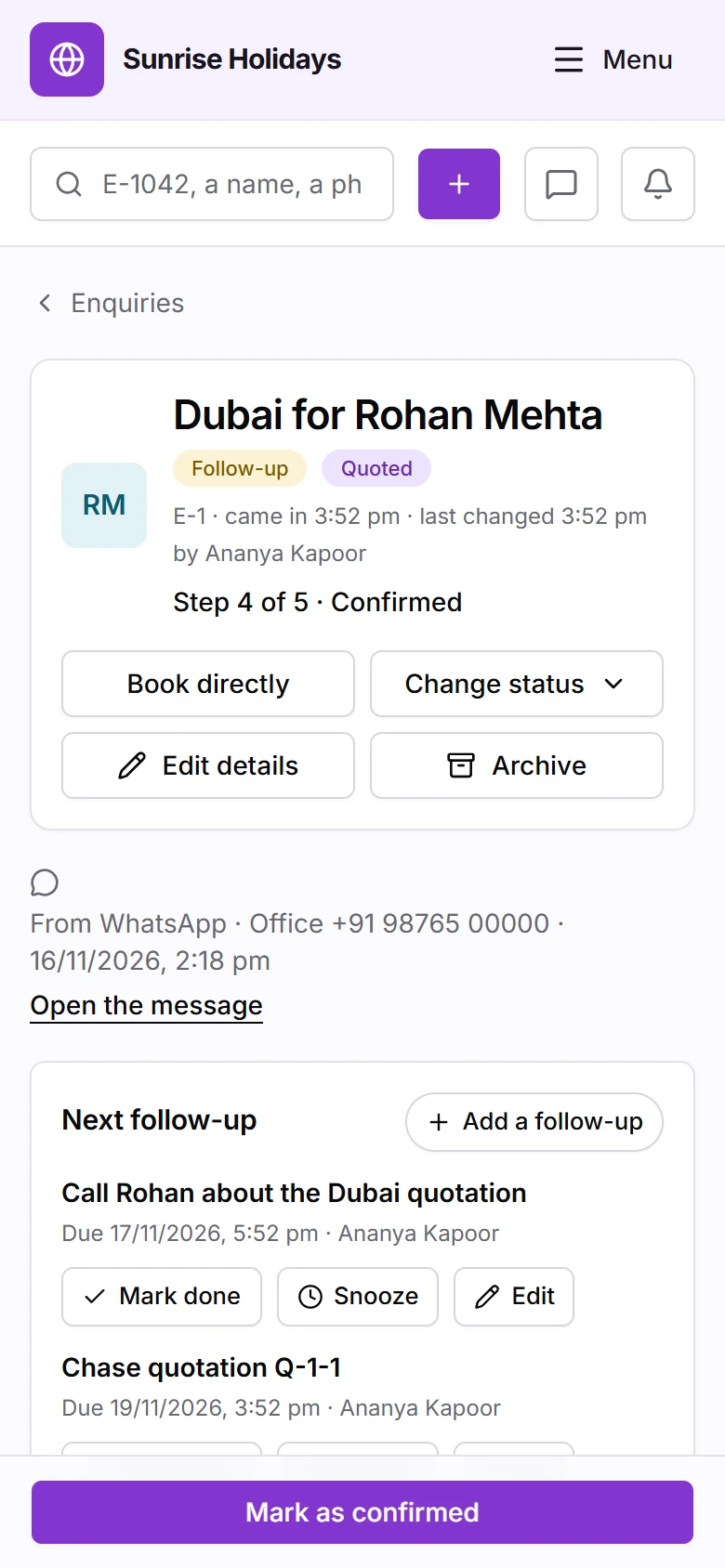
The enquiry, step by step — on the office computer and on your phone.
Enquiries
Who, where and when. The rest comes later.
A new enquiry needs only the caller's name and mobile; add the place and dates when you know them. Paste a message and the AI fills it — in English, Hinglish or Hindi.
- 1Business type: direct client, agent or corporate.
- 2Leads: a new WhatsApp number or your website form waits in Leads for a first answer, then becomes an enquiry in one press.
- 3Follow-ups with a day, a time and who does it; "Messages for today" ready to send.
- 4Already agreed on the phone? Book directly and skip the quotation.
- 5Search everything (Ctrl K) finds a client, an enquiry or a booking from any screen.
Clients
One profile per person. Families, companions, companies.
A client is always a person. Their family and travel companions are saved once and reused; a company sits under them for billing.
- 1"How they came to us" — Instagram, Google, a friend, an existing client — on every new client.
- 2Passports read from a scan, checked by staff before a name changes. Only for trips abroad.
- 3Companies with GSTIN, checked for shape and state; one company shared by colleagues.
- 4Import your old client list from Excel with a sample file to fill.
Quotations
Build it, or use a DMC's quote.
Two ways in: build from the trip details, or paste the DMC's email and upload its PDF or screenshots. Either way, a clean document with your logo.
- 1Flights, hotels and the days, in date order. Hotel and flight choices inside one quotation; up to three plans.
- 2Two looks, brochure or voucher style, in your brand colour. Every word editable. Sent by link, email or WhatsApp; downloaded as PDF or Word.
- 3A sent version never changes. The next price is the next version.
- 4A warning when a room's selling price is below its price, or its guests don't match the enquiry. Cost and margin only for roles allowed.
Build a quotation
From the flights, hotels and services already on the enquiry.
Use a DMC's quote
Paste the email, drop the PDF. Kliently reads it into a draft.
Smart packages
Your own rates. Packages that price themselves.
Keep your buying prices for transfers, activities and hotel contracts, then build the trip day by day. The price works itself out: cost, markup, GST and TCS, per adult and per child.
- 1Rates from an Excel sheet (free, with a sample file), or read from a DMC's rate sheet by the AI. You check every row before it is saved.
- 2Standard, Deluxe and Luxury plans: only the hotels differ, each plan adds up on its own. Foreign currency at the morning's rate.
- 3Checks before you send: a tour on a day it is closed, a rate not valid on its day, no transfer on arrival, a night with no hotel, a car too small.
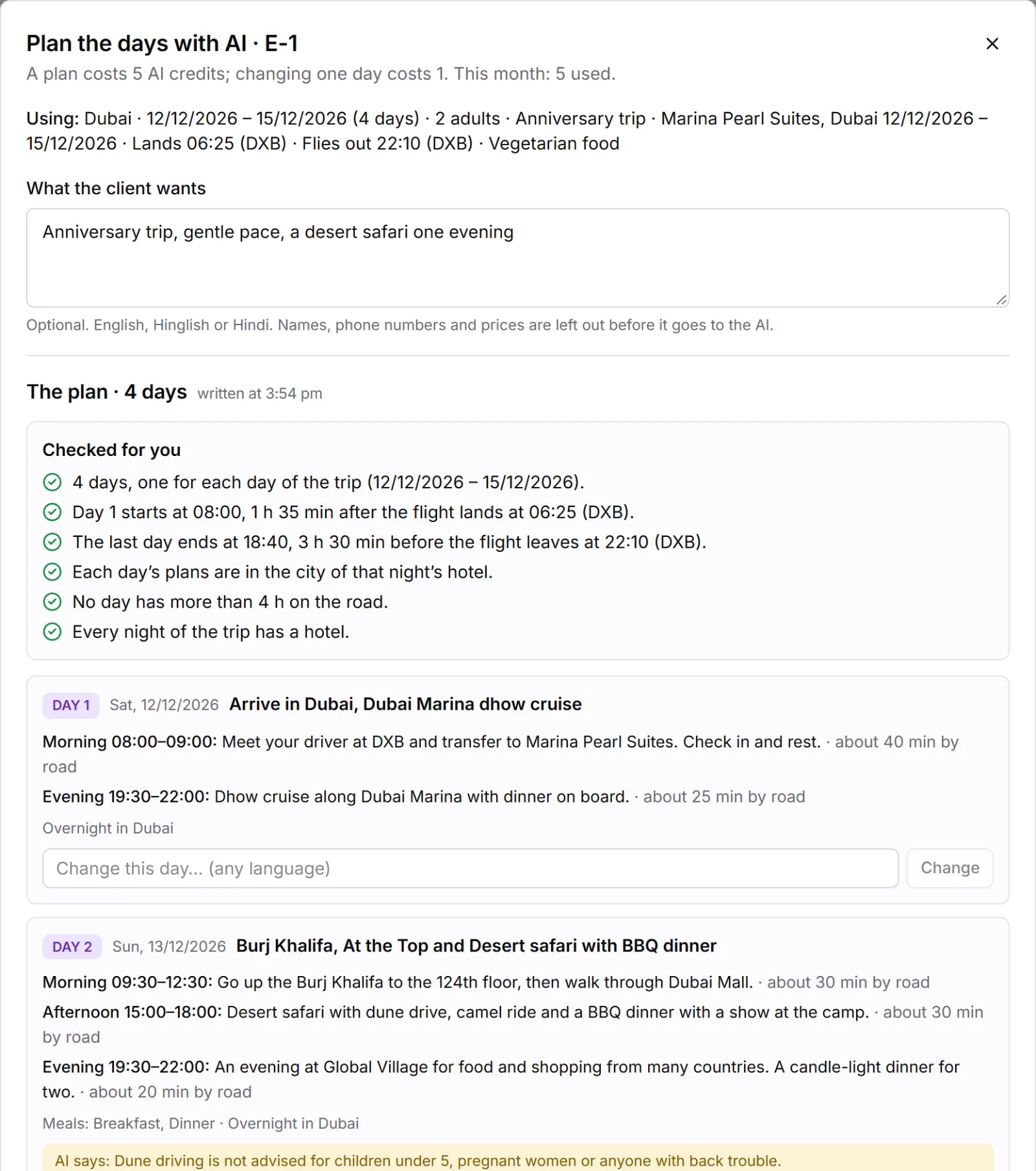
- 4Fit a budget, optional extras the client ticks, your past prices, a booking sheet for each supplier and what you owe each one. The AI trip planner can use your rates too.
| Hotels | ₹27,200 |
| Transfers | ₹7,575 |
| Activities | ₹15,372 |
| Markup 15% | ₹7,522 |
| GST 5% · TCS 5% | ₹5,911 |
| Client pays | ₹63,580 |
| Per adult · child (8) | ₹29,358 · ₹4,864 |
Bookings and money
Voucher, payments, GST invoice — one page.
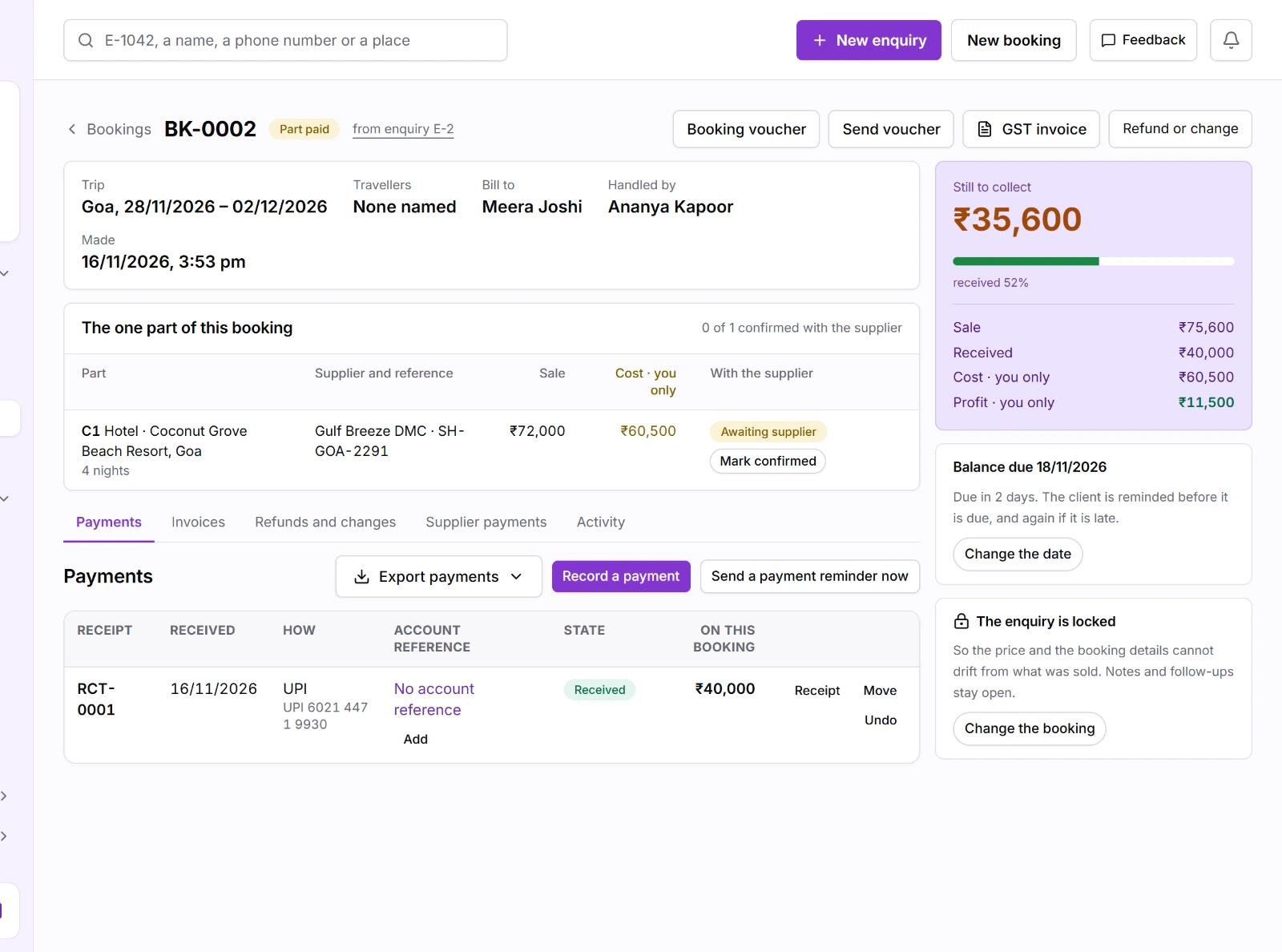
After Confirmed, the booking document and confirmation voucher go out by WhatsApp, email or link. Money lives on the same page.
- 1Payments, refunds, supplier payables, credit notes.
- 2GST invoices that bill the company, with the right place of supply. TCS register.
- 3A change after booking is an amendment; the history is kept.
- 4Portal bookings with free-cancellation reminders and cheaper-elsewhere checks.
| Received | ₹30,000 · 02/11/2026 · UPI |
| Due | ₹28,400 by 10/12/2026 |
| Invoice | INV-0231 · GST · Verma Textiles Pvt Ltd |
| Supplier | TBO · ₹31,600 · paid |
Reports
Ready reports. Excel in one click.
Staff see only their own numbers. People who may not see profit see the "Sales" report, not "Sales and profit". Direct bookings count in every sale and stay out of the conversion rate. On Pro, Team performance shows what each person sold, their profit and their targets.
Roles and settings
Roles that fit a real office.
Admin, Manager, Accounts, Team Member, Viewer — and Visa head, Visa follow-up and Visa documents. An admin can tick any right for any role.
- 1Money by permission: cost and profit only for roles allowed. A missing number is never shown as zero.
- 2Settings in plain words: your logo, your "How they came to us" list, your visa checklists.
- 3A website lead form for your own site, or a page Kliently hosts.
- Create and change enquiries
- Build and send quotations
- Use hotel and flight fare search
- See supplier cost, profit and margin
- See portal bookings and check their prices
- Manage portal logins